
 Login / Signup
 Wishlist

How to Install a TV Bracket on the Wall: Easy TV Bracket Installation & Adjustment Guide for Your Home
June 24, 2026
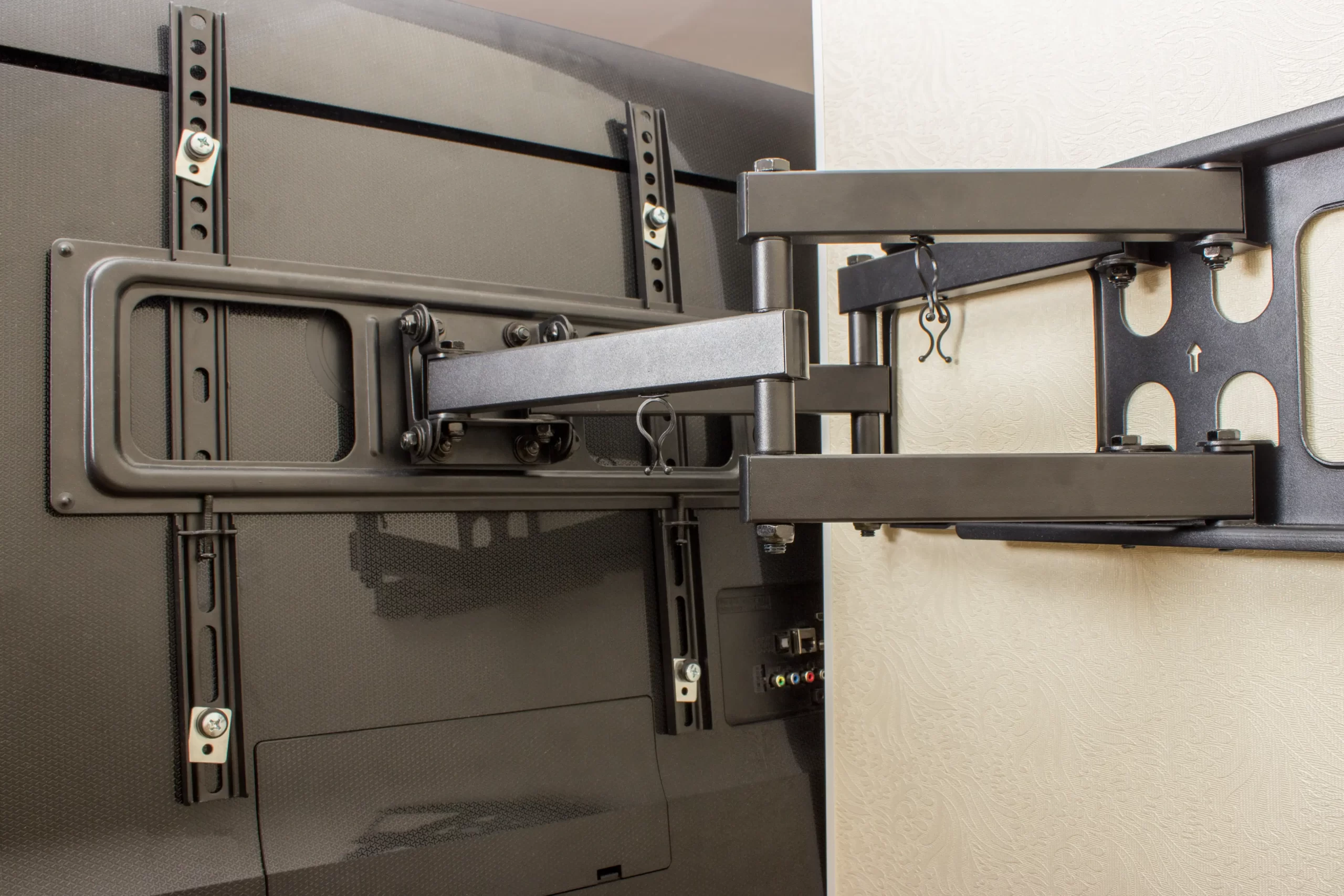
Wall-mounting your TV is a practical upgrade you can make in a Singapore home. It frees up floor space, eliminates the need for a bulky TV console, and creates a cleaner, more intentional look in any room.
Whether you live in an HDB flat, BTO unit, condominium, or landed home, the process follows the same principles. However, the details matter, especially when you are drilling into concrete or dealing with wall types common in local homes.
This guide walks you through everything, including choosing the right bracket, preparing your wall, the step-by-step installation process, and adjusting your mount for the best viewing experience.
Key Takeaways
- Match your bracket to your wall and TV specs. Check your TV’s VESA pattern and weight, and confirm your bracket is rated for the wall type in your home.
- Placement planning saves you from costly mistakes. Decide on viewing height, light conditions, and cable routing before drilling a single hole. The right position is harder to change after the fact.
- Level and secure installation is non-negotiable. A bracket that is even slightly off-level or under-anchored puts both your wall and your TV at risk. Take the time to do it right, or engage a professional.
- When in doubt, get a professional. For large screens, non-standard walls, or in-wall cable work, professional installation is the most cost-effective option when you factor in the risk of getting it wrong.
Why Wall-Mounting Makes Sense in Singapore Homes
Space efficiency is a real priority in Singapore, where HDB flats and BTO homes are getting smaller and every square foot of living room space counts. Mounting your TV on the wall removes the console from the equation, makes the room feel larger, and positions your screen at the ideal viewing height rather than whatever height a console dictates.
It also reduces clutter. With the right cable management, all wiring runs discreetly behind the TV or along the wall, leaving a clean finish that looks intentional rather than improvised.
Step 1: Choose the Right TV Bracket
Before you touch a drill, get the bracket right. The wrong type will limit your viewing experience; the wrong weight rating puts your TV at risk.
Fixed Brackets
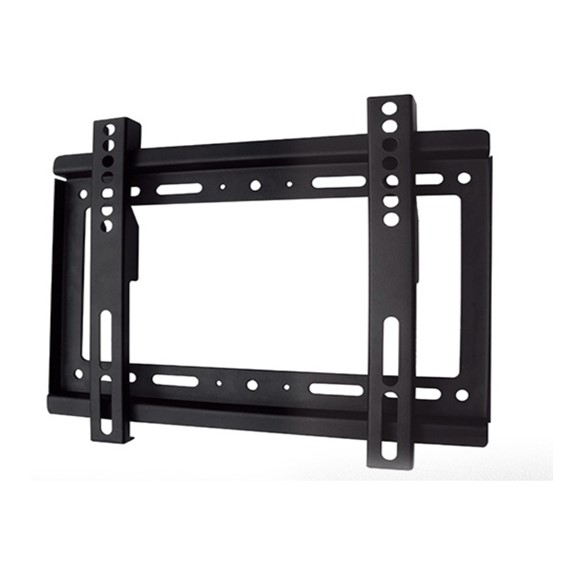
A fixed TV wall mount holds your screen flat against the wall with no movement. It offers the slimmest profile and is the most stable option. Best suited for rooms where your seating position does not change, typically a dedicated TV wall in a living room or master bedroom.
Tilting Brackets
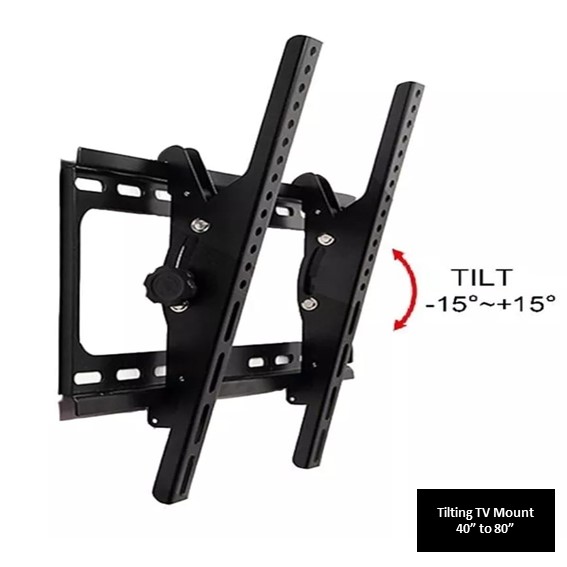
A tilting TV bracket allows you to angle the screen downward, which is useful when the TV needs to be mounted higher than eye level, such as above a console or in a bedroom where you watch from a reclined position. Tilting reduces glare from overhead lights and windows.
Full-Motion Brackets
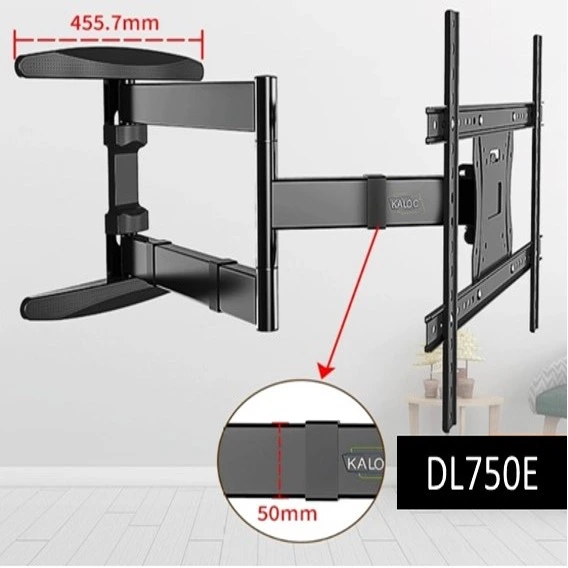
A full-motion or articulating bracket extends away from the wall and swivels left or right, making it ideal for open-concept spaces or rooms with multiple seating positions. Single-arm and double-arm full-motion mounts differ in the range of extension and flexibility they offer.
Ceiling Mounts and Specialty Options
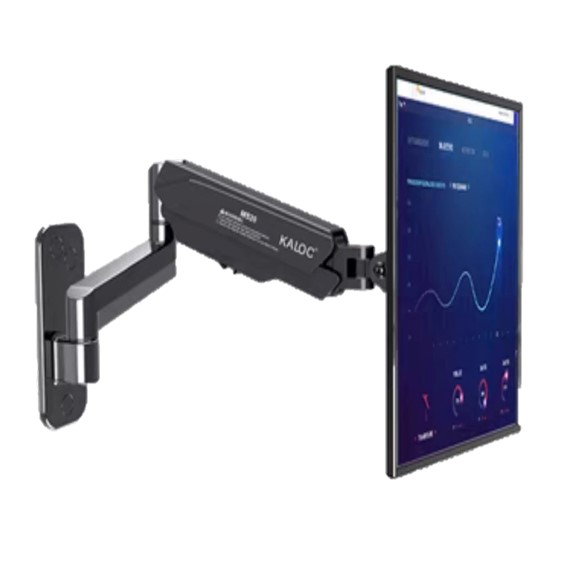
For spaces where wall mounting is not feasible, a ceiling mount bracket is a practical alternative, commonly used in commercial settings, bedrooms with limited wall space, or rooms where the viewing angle makes ceiling placement more logical.
For setups that require frequent repositioning with minimal effort, Gas strut TV mounts are another option worth considering.
Key Specs to Check Before Buying
- VESA pattern: The bolt hole spacing on the back of your TV, measured in millimetres (e.g. 200×200, 400×400). Your bracket must match this pattern.
- Weight capacity: Confirm the bracket’s rated load exceeds your TV’s weight.
- Wall type: Concrete walls, common in Singapore HDB flats, require masonry drill bits and appropriate rawl plugs or anchors. This is different from drywall or timber stud walls found in some landed homes.
Step 2: Plan Your Placement
Choosing the right spot on the wall is as important as choosing the right bracket.
- Viewing height: The centre of the screen should sit at approximately seated eye level, which for most adults is around 100 to 110 cm from the floor. Mounting too high is a common mistake that causes neck strain over time.
- Viewing distance: As a general guide, multiply your TV’s screen size (in inches) by 2.5 to get the minimum comfortable viewing distance in centimetres. A 55-inch TV works well from roughly 140cm away.
- Light sources: Observe how natural and artificial light hits the wall at different times of day. Avoid positions where windows or ceiling lights create direct glare on the screen.
- Cable routing: Plan where your cables will run before you commit to a position. Consider access to power points and nearby AV equipment.
Step 3: Gather Your Tools
You will need:
- Stud finder (if drilling into a timber or drywall partition)
- Masonry drill and appropriate drill bits (for concrete walls)
- Spirit level
- Tape measure and pencil
- Screwdriver or power driver
- Wall anchors or rawl plugs suited to your wall type
- All hardware that is included with your bracket kit
For concrete walls in HDB flats, ensure your drill bits are rated for masonry. Using the wrong bit is one of the most common reasons for poor installation outcomes.
Step 4: Locate the Right Drilling Points
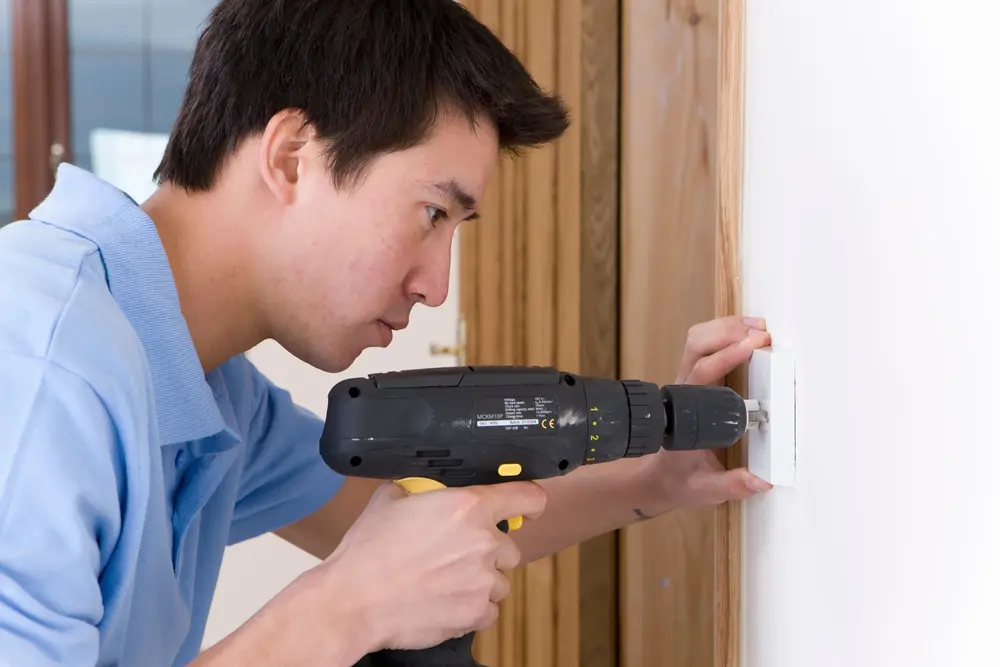
For concrete walls, you are drilling directly into the wall structure. Use a cable and pipe detector first to confirm there are no concealed electrical wiring, water pipes, or gas lines behind your chosen drilling points. This is a non-negotiable step and one of the main reasons professional installation is worth considering if you are not confident.
For stud or drywall partitions, use a stud finder to locate the timber studs behind the plasterboard. Your bracket must be secured into the studs, not just the drywall, for a stable and safe mount.
Mark your drilling points with a pencil. Use a spirit level to confirm they are perfectly horizontal before you drill.
Step 5: Mount the Bracket on the Wall
With your points marked and the level confirmed, drill your holes to the appropriate depth. For concrete walls, insert the correct rawl plugs before driving in the screws. Do not overtighten, snug and firm is the target.
Attach the bracket wall plate to the wall and check it again with your spirit level before fully tightening. A bracket that is even slightly off-level will be immediately visible once the TV is on it.
Step 6: Attach the Mounting Plate to the TV
Most brackets come with two components: the wall plate (fixed to the wall) and a mounting plate or arm adaptor (fixed to the back of the TV). Attach the mounting plate to the VESA holes on the back of your TV with the provided bolts.
Note: Use the correct bolt length. Too long and you risk damaging internal components; too short and the mount will not sit flush.
Step 7: Hang the TV and Secure It
With a second person assisting, lift the TV and engage the mounting plate onto the wall bracket. Most brackets click or slide into place. Once seated, confirm the locking mechanism is engaged, and the TV cannot be lifted off accidentally.
Do a gentle stability check. The TV should not shift, wobble, or tilt when light pressure is applied.
Step 8: Adjust for Optimal Viewing
If you have a tilting bracket, adjust the tilt angle so the screen faces your seating position directly. For full-motion brackets, extend and swivel the arm to confirm the range of movement suits your room layout, then position it at your preferred angle.
Route and conceal your cables. Use cable clips along the wall or a cable conduit for a cleaner finish. If you are not concealing cables inside the wall, a raceway channel in a matching wall colour offers a neat and practical alternative.
When to Call a Professional
If any of the following apply, professional installation is the right call:
- You are not confident about what is behind your walls
- Your TV is 65 inches or larger
- You are mounting into a non-standard wall type
- You want a clean in-wall cable solution
- You want the job done right without the risk of damage to walls or your TV
Tiger Mount provides professional TV wall mounting services across Singapore, covering HDB flats, BTO units, condominiums, landed homes, offices, and commercial spaces. The team handles bracket selection, installation, and cable management from start to finish.
Frequently Asked Questions
Can I install a TV bracket on an HDB wall myself?
Yes, provided you follow HDB renovation guidelines, avoid drilling near structural elements, and confirm there are no concealed utilities behind your chosen drilling point. If in doubt, engage a professional.
What is VESA, and why does it matter?
VESA is the standard hole pattern on the back of your TV used to attach a wall mount. If your bracket’s VESA pattern does not match your TV’s, the mount will not fit. Always check before purchasing.
How high should a TV be mounted on the wall?
The screen centre should sit at seated eye level, typically around 100-110cm from the floor for most living room setups.
Can a full-motion bracket damage the wall over time?
Not if it is installed correctly with the right fixings for your wall type. Improper installation is the risk, not the bracket type itself.
About the Author
Tiger Mount Blog Team shares practical insights backed by the brand’s hands-on experience in Singapore’s TV mounting and home installation market. With a strong focus on safe, secure and space-efficient setups, Tiger Mount has built its expertise around TV wall mounting, bracket selection, installation planning and mounting solutions for HDB flats, BTO units, condominiums, landed homes, offices and commercial spaces.
Looking for the right bracket or need a professional to handle the installation? Visit Tiger Mount to explore our full range of TV wall mounts and book a service.